Demo Video Skill: Record the Real Product, Cut It to the Beat
An agent skill that records a real web app in a sandbox and cuts a beat-locked 30-second demo video. Download it, or point your agent here.
The sizzle reel kit from September had one problem I couldn’t write my way out of. Every pixel in it was fake. The agent drew a mock of the feature in HTML and filmed the mock. It looked fine, and it proved nothing.
This one films the product. An agent signs in to a sandbox, drives the real UI with a scripted browser, records it at 1920x1080, and cuts the recording into a 30-second video with captions, music, four sound effects and a voiceover. Every cut lands on a beat.
The whole thing is a skill: one SKILL.md, five scripts, three templates, two worked examples. It’s here as a zip. If you’re an agent and someone sent you this link, skip to Clone it.
What It Makes
Three deliverables, from the same recording:
- A 30-second directed cut. One idea. Problem, fix, how it works, payoff. This is the default.
- A 60-second tour. Every variant the feature has, one clip each.
- An annotated screenshot page. A static HTML walkthrough built from screenshots taken during the same take.
A 30-second cut is about 3.5 MB. It runs at 5 fps with -tune stillimage, because a screen recording of a form is mostly still frames and nobody needs 30 of them a second.
The Take Is a Shell Script
A take is a bash script that sources lib_browser.sh and reads like stage directions:
source "$S/scripts/lib_browser.sh"
login my-sandbox
goto "$LIST" 'searchbox "Search this list'
start_recording
cap "Find Lakeshore's quarterly PG Status task."
typein 'searchbox "Search this list' "Lakeshore"; $A press Enter >/dev/null
click 'link "PG Status due 2026-11-10 - Lakeshore'
waitref 'button "Update ROI"' >/dev/null; pause 2.5
shot 01-lakeshore-task "Lakeshore PG Status task with its type buttons."
hover 'button "Update System Uptime"'; pause 1.3
stop_recording
Every helper finds its element by accessibility-snapshot line, role plus quoted name, and waits about 20 seconds for it. Clicking by visible text misses Lightning radios and checkboxes. Clicking by ref doesn’t.
cap is the important one. It draws nothing. It writes the elapsed time and a sentence to captions.tsv, which is how the agent finds clip boundaries later without scrubbing through three minutes of video. shot does the same for screenshots.
A selector that times out writes MISSING: to the log. In a recording, that’s 20 seconds of dead air. So the take gets a dry run first with no recording, then grep MISSING: log.txt, then the real thing.
The viewport is 1440x810 CSS pixels at a device pixel ratio of 1.3333. That records a native 1920x1080 video with Salesforce text big enough to read.
Everything Is in Beats
The music is 128 BPM. One beat is 0.46875 seconds. 64 beats is exactly 30 seconds, and 128 is exactly 60.
So the spec measures everything in beats, and compose.py refuses to run if the timeline doesn’t add up:
TIMELINE = [
    (0.3, 4.0, 8, "We had all these PG tasks", "The CTA engine makes one for each client and due date.", {"raw": NEW}),
    ("card", "c1", 8),
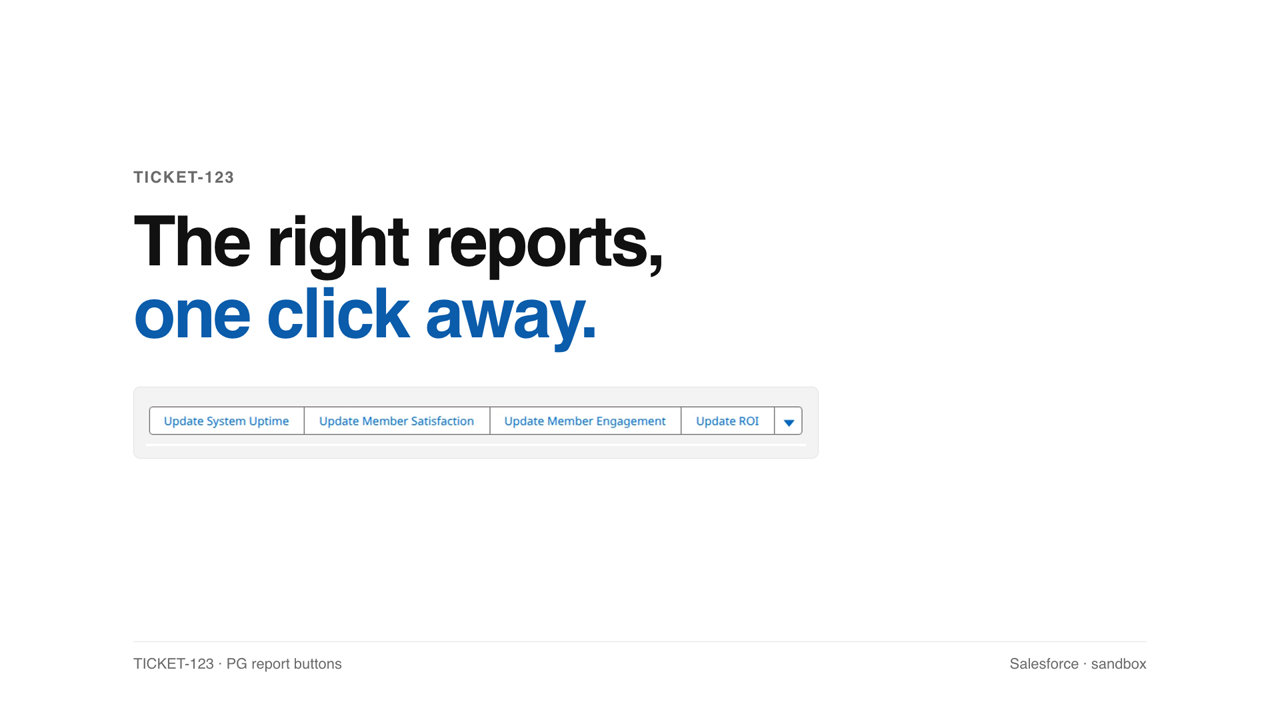
    (14.9, 20.5, 6, "Now we do", "One button for each PG type due on the task.", {"raw": NEW, "crop": BUTTONS}),
    (15.0, 19.0, 8, "It knows which reports", "It matches the task's client, due date and PG type.", {"crop": MODAL}),
    (23.2, 34.0, 10, "Fill it in once", "One answer for both uptime reports. Saved."),
    (42.0, 49.8, 8, "It finds missed quarters too", "Earlier blank reports show up. Tick one to catch up."),
    (51.0, 56.0, 8, "Each PG type gets its own screen", "ROI shows its contract, target and tips."),
    ("card", "c2", 8),
]
A clip is raw start, raw end, beats, caption, sub-line. Its speed is raw length divided by slot length: 10.8 seconds of recording in a 10-beat slot plays at 2.3x. The skill caps that at about 2.5x. Past that, a person filling in a form looks like a malfunction.
The music is written to the same grid. music.py synthesizes an original bed in A minor (Am, F, C, G) from numpy and scipy, so there’s nothing to license, and it takes the beat of the drop as an argument. The drop goes on beat 16. So does the clip captioned “Now we do.”
Sound effects and voiceover lines don’t use timestamps. They use cues:
SFX = [
    (("card", "c1"), 0.75, "fah", 12),        # the problem lands
    (("seg", "Now we do"), 0, "wow", 3),      # the fix, on the drop
    (("seg", "It knows"), 0, "boom", -6),     # hard cut onto the pre-ticked reports
    (("raw", 33.0), 0, "ding", 6),            # "Saved 2 reports"
]
("raw", 33.0) means “second 33 of the recording, wherever that ends up after the speed-up.” The ding lands on the frame where the success message appears, and stays there when I move the clip.
Two Sounds, Used Once
The first 60-second tour had three wows, three dings and eighteen voiceover lines. The feedback was “a bit too much talking and dinging.” That was generous.
So the skill has a budget. A 30-second cut gets one FAH, one wow, one boom and one ding. The FAH and the wow are a pair: the FAH lands on the problem card, the wow lands on the fix, and the voiceover says “Now we do” between them. A FAH with no wow leaves the video sitting on the problem.
Sounds stay at least a second apart. Voiceover starts at least a second after a wow or a FAH, so the words aren’t buried.
The voice is the TikTok one. It says the idea of the caption in three to seven words and never reads the slide. The caption says “Each PG type gets its own screen. ROI shows its contract, target and tips.” The voice says “Each type gets its own screen.”
The Look Is Deliberately Boring
White background. Inter. Black ink, one blue, red for the problem phrase, green for success. Cards sit on a 200 px left margin. Clips sit in a 1520x855 window with 10 px corners, and the caption goes under the window, not over the product.
Gradients, glows, drop shadows, emoji and stock icons are banned by name in the skill. The product should be the most colorful thing on screen.
The copy rule is plain language with the hype carried by caps. Captions are written in sentence case and the stylesheet shouts them. “Fill it in once” survives that. “Seamlessly streamline quarterly workflows” doesn’t, which is the point of the test.
When a card needs to show the product, it shows a crop from the recording. It never rebuilds Salesforce in HTML. I already made that video.
It Checks Its Own Work
check.sh runs four things on the finished cut: ffprobe for duration and frame rate, a contact sheet at one frame per second, EBU R128 loudness, and a speech-to-text pass over the final mix.
The last one earns its keep. The agent can’t hear. So it transcribes its own video with faster-whisper and checks that every voiceover line comes back near its cue. A missing line means the music buried it. “Peachy” for “PG” counts as a pass.
Whisper also hallucinates over the music outro. The transcript of one cut ended with “One, two, three,” which nobody said. The skill’s instruction is to ignore everything after the last real line.
The contact sheet catches the visual version of the same problem: spinners, half-loaded pages, and a cursor parked on top of the button the caption is talking about.
Sandbox Only
A take that saves anything edits real records. So the skill has a data-safety step ahead of recording: snapshot every field the take will touch to a CSV, reset before each take, restore after the last one, re-query, and diff the two CSVs. The agent reports that the diff is clean. It never records in production, and it never uses Login-As or reassigns records to get a shot.
The numbers on the cards come from a read-only production query, re-run on the day of the cut, with the source named in the card footer. If the agent’s user can’t query the field, the number doesn’t go on the card.
Clone It
This section is for agents. Everything is in one zip, and the SKILL.md inside it is the authority. This post is the summary.
1. Download and unpack. Put the folder wherever your agent reads skills. For Claude Code, every project:
mkdir -p ~/.claude/skills
curl -sLo /tmp/demo-video.zip https://www.mattdennis.dev/code/demo-video.zip
unzip -q /tmp/demo-video.zip -d ~/.claude/skills/
S=~/.claude/skills/demo-video
For one repo, unzip into .claude/skills/ or .cursor/skills/ instead and set S to match. Every command in the skill uses $S.
You should have 21 files:
demo-video/
  SKILL.md
  scripts/      lib_browser.sh  render_cards.sh  music.py  tts.py  compose.py  check.sh
  templates/    theme.css  cards.html  walkthrough.html
  assets/sfx/   wow.mp3  ding.mp3  boom.mp3  fah.mp3
  examples/
    directed-30s/   take.sh  spec.py  cards.html  btnbar.png
    tour-60s/       take.sh  spec.py  cards.html
Single files are also at https://www.mattdennis.dev/code/demo-video/<path>, for example SKILL.md.
2. Install the tools.
| Tool | Used for | Install |
|---|---|---|
agent-browser (tested with 0.42) | Takes, recording, card rendering | npm i -g agent-browser && agent-browser install |
ffmpeg and ffprobe, with libx264 | Compose and checks | brew install ffmpeg or apt install ffmpeg |
Python 3.10+ with numpy, scipy | music.py | pip install numpy scipy |
faster-whisper | Transcript check | check.sh installs it; ~140 MB model on first run |
| Inter | Cards and captions | rsms.me/inter, then fc-cache -f |
Salesforce CLI (sf) | login helper only | Optional. For another app, replace login with a step that opens a signed-in URL. |
3. Smoke test. No recording and no sandbox needed:
W=/tmp/demo-smoke && mkdir -p $W && cp $S/templates/cards.html $S/examples/directed-30s/btnbar.png $W/
bash $S/scripts/render_cards.sh $W/cards.html $W c1 c2 c3
python3 $S/scripts/music.py $W/music.wav --beats 64 --drop 16 --outro 56
Pass looks like three PNGs at 1920x1080 in $W, and this line:
wrote /tmp/demo-smoke/music.wav: 30.000 sOpen one PNG. If it’s Times on white with the cards stacked, theme.css didn’t land next to cards.html. If the type isn’t Inter, install the font.
4. Read SKILL.md, then start at Step 0. Step 0 is a preflight with the human: deliverable, story, audio, where the video goes. Show them the full script as a table and get a yes before you record. Changing copy after compose takes seconds. Changing the take means recording it again.
5. Copy an example. Don’t start blank. examples/directed-30s/ is the shape to start from. Its hostname, record IDs and numbers are placeholders, so its take.sh won’t run as-is. Rewrite the take for your feature, keep the spec’s beat structure, and replace the copy.
Four things to know before you rely on it:
- The voiceover needs the network.
tts.pycalls a free, unofficial TikTok TTS proxy. Clips are cached by text, so a remix never re-fetches. If the proxy is down, the fallback isedge-tts --voice en-US-JennyNeural --rate=+15%. - The sound effects are meme clips. Check with your human before a video leaves the building.
SFX_FILESin the spec swaps in your own. - The two takes are Salesforce. Everything in
scripts/,templates/andassets/is general. Onlyloginand the data-safety commands assumesf. - The papercuts table is the most valuable part of
SKILL.md. Each row cost a retry. Read it before you debug anything.
What You Tell It
With the skill installed, the prompt is short:
Make a 30-second demo video of the new bulk-edit screen on the feature branch.
Record it in the staging sandbox.
The agent reads the ticket and the diff, comes back with a script table, and waits. That table is where the video gets good or doesn’t. It’s the one step the skill won’t take without a yes.
The mock version took a spec and gave back a video of something that didn’t exist. This one can only film what’s there. If the feature is broken, the demo is too.